Hyper-Converged Infrastructure (HCI)
What is HCI?
What is it?
Hyper-Converged Infrastructure (HCI) is an IT architecture that integrates compute, storage, and networking into a single software-driven system. Unlike traditional data centers where these components are managed separately, HCI combines them into a unified, virtualized environment managed through a single platform.
In simple terms: Instead of having separate servers, storage arrays, and networking gear, HCI puts everything into one cluster of servers, managed centrally, and optimized by software.
Theoretical Definition
HCI is a software-defined IT infrastructure that tightly integrates compute (virtualized servers), storage (software-defined storage), and networking (virtual switches and SDN) on commodity x86 hardware, with centralized management.
Key characteristics:
- Software-defined: The intelligence is in the software, not the hardware.
- Integrated management: A single dashboard to manage compute, storage, and networking.
- Scale-out design: Add more nodes to increase capacity/performance.
Evolution: From Traditional Infrastructure to HCI
-
Traditional Infrastructure (3-tier architecture):
- Separate compute (servers), storage (SAN/NAS), and networking (switches).
- Complex to deploy and manage.
- Expensive proprietary hardware.
-
Converged Infrastructure (CI):
- Bundled servers, storage, and networking in pre-validated racks.
- Still separate layers, but tested together.
-
Hyper-Converged Infrastructure (HCI):
- Compute, storage, networking all in software.
- Runs on commodity servers.
- Managed from one platform.
HCI vs Cloud Computing
| Feature | Hyper-Converged Infrastructure (HCI) | Cloud Computing |
|---|---|---|
| Definition | On-premises system integrating compute, storage, and networking in one platform | Delivery of IT services (compute, storage, apps) over the internet |
| Deployment | Runs on physical hardware in your data center | Runs on shared infrastructure owned by cloud provider |
| Ownership | Owned and managed by the organization | Owned and managed by provider (AWS, Azure, GCP) |
| Scalability | Scale-out by adding nodes | Virtually unlimited scalability across regions |
| Management | Centralized, software-defined, local control | Provider-managed, accessed via APIs/portals |
| Cost Model | Capital expense (CapEx) + ongoing maintenance | Operational expense (OpEx), pay-as-you-go |
| Use Case | Private clouds, VDI, on-prem workloads | Public-facing apps, global scalability |
👉 Think of HCI as a private cloud enabler — it brings cloud-like agility to on-premises infrastructure.
HCI Architecture
Core Components
-
Compute
- Runs on commodity x86 servers with hypervisors (VMware ESXi, Hyper-V, KVM).
- Virtual machines (VMs) or containers run applications.
-
Storage (SDS – Software-Defined Storage)
- Local disks (SSD/HDD) across nodes are pooled into a distributed storage system.
- Features: deduplication, compression, snapshots, replication.
-
Networking (SDN – Software-Defined Networking)
- Virtual networking inside the cluster.
- Integration with physical switches for external connectivity.
-
Management Layer
- Centralized dashboard to provision, monitor, and scale resources.
- API-driven for automation.
Key Benefits of HCI
- Simplicity: Single platform for compute, storage, and networking.
- Scalability: Add nodes easily as demand grows.
- Cost Efficiency: Uses commodity hardware instead of expensive SAN/NAS.
- High Availability: Built-in redundancy and fault tolerance.
- Cloud-like Agility: Self-service provisioning and automation.
- Data Services: Snapshots, replication, backup, disaster recovery.
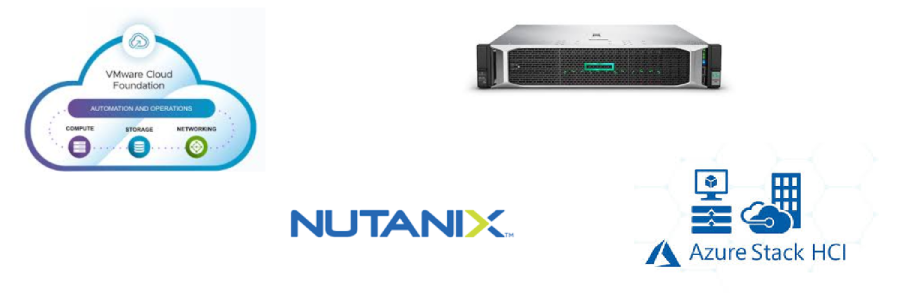
Leading HCI Vendors
- VMware vSAN (VMware Cloud Foundation) – Industry leader, integrates with vSphere.
- Nutanix – Pioneer of HCI, software-focused solution.
- HPE SimpliVity – Hardware + software appliance.
- Cisco HyperFlex – Cisco’s HCI solution with UCS servers.
- Microsoft Azure Stack HCI – Hybrid cloud integration with Azure.
- Dell EMC VxRail – Joint solution with VMware, popular in enterprises.

Real-World Use Cases
-
Virtual Desktop Infrastructure (VDI)
HCI simplifies scaling hundreds of virtual desktops for enterprises. -
Private Cloud Deployment
Organizations use HCI as the foundation for private clouds. -
Remote & Branch Offices (ROBO)
HCI appliances are compact, easy to deploy, and perfect for branches. -
Backup & Disaster Recovery
Built-in replication and failover ensure business continuity. -
Dev/Test Environments
Fast provisioning of isolated environments for developers.
Examples
- A university uses HCI for hosting e-learning systems and student portals on a private cloud.
- A bank runs its core banking applications on Nutanix HCI to reduce reliance on expensive SANs.
- An e-commerce company uses VMware vSAN for hybrid cloud workloads, integrating with AWS for burst capacity.
WoW Tip
HCI is often seen as a stepping stone to hybrid cloud. Many enterprises start with HCI in their data centers for agility, then connect it to public clouds like AWS, Azure, or GCP to achieve a true hybrid cloud model.
Summary
- HCI integrates compute, storage, and networking into a single, software-defined platform.
- It is simpler, more scalable, and more cost-effective than traditional infrastructure.
- While not the same as public cloud, HCI enables cloud-like agility on-premises.
- Leading vendors include VMware, Nutanix, HPE, Cisco, and Microsoft.
- HCI is widely used for VDI, private cloud, backup/DR, and edge deployments.